BETTER HUSTLE
AI  ·  TECH  ·  STARTUPS
 
Cluing logo
I used it in my own workflow before writing this

How Cluing actually feels inside a real workflow

This deep dive is created in partnership with Cluing . I have been using it as my main research workspace and took notes on what actually helped, what was just nice to have, and where it fit into my day.

Instead of a feature tour, this is a walkthrough of how I’m using Cluing in practice. Let me show you how.

In This Issue

How I used Cluing to stop losing good startup ideas

I spent a week testing Cluing inside my actual workflow to see if it could genuinely help me capture and organise better opportunities from random scrolling.

01
How I save interesting business ideas before they disappear into bookmarks
02
A look inside my Income Opportunities workspace and how I organise it
03
How Cluing helped me connect trends and spot patterns across saved research
04
Real screenshots and examples directly from my own setup
05
My honest verdict, who it’s useful for, and the subscriber discount

💸 Income Ideas Everywhere

We keep seeing ideas on X and Reddit, then losing all of them

Every day my feeds throw crazy income ideas at me. AI agents, micro SaaS angles, niche services that print cash for the right person. I probably see 10–20 solid opportunities in a week.

The problem is simple: by the time I sit down to work, those ideas are gone. Closed tabs. Lost bookmarks. Saved tweets I never find again. There was no system.

Multiple tabs open while browsing X and other sites
This was my “research workflow”. Dozens of tabs, zero structure.

I did not need more content. I needed a way to catch these income ideas and actually reuse them later.

Why bookmarks and Notion were not enough

I tried all the “be organised” tricks:

→ Bookmark folders called “Ideas”, “Later” and “Side Hustles”
→ Saving posts on X and Reddit to read “when I have time”
→ Dumping links into random Notion pages and never opening them again

The reality is harsh. I almost never returned to those links. And when I did, they were just raw URLs with no context. I could not see patterns, only individual articles. It was storage, not a system.

What I wanted was simple: a place where every interesting money idea I see gets saved in a way that I can search, connect and act on later.

Sponsored by Cluing

Thanks to Cluing for sponsoring this issue

Before mentioning it here, I spent the past week testing the Pro plan in my own workflow first.

Instead of dropping a random banner, I wanted to see if it could actually help me spot income opportunities, save better ideas, and organize useful things I come across while scrolling.

Everything below is based on that personal test.
What Cluing is in practice

Cluing is a research workspace with an AI layer on top. You can save ideas, highlights, links, tweets, Reddit posts, and notes into organised topics instead of losing them inside bookmarks or random Notion pages.

The easiest way to use it is through their browser extension. Whenever I find an interesting startup idea, trend, tool, or opportunity while scrolling, I can save it to Cluing in a couple of clicks without breaking my workflow.

Later, Cluing’s AI reads only my saved research and helps surface patterns, connections, and ideas that I would’ve normally forgotten.

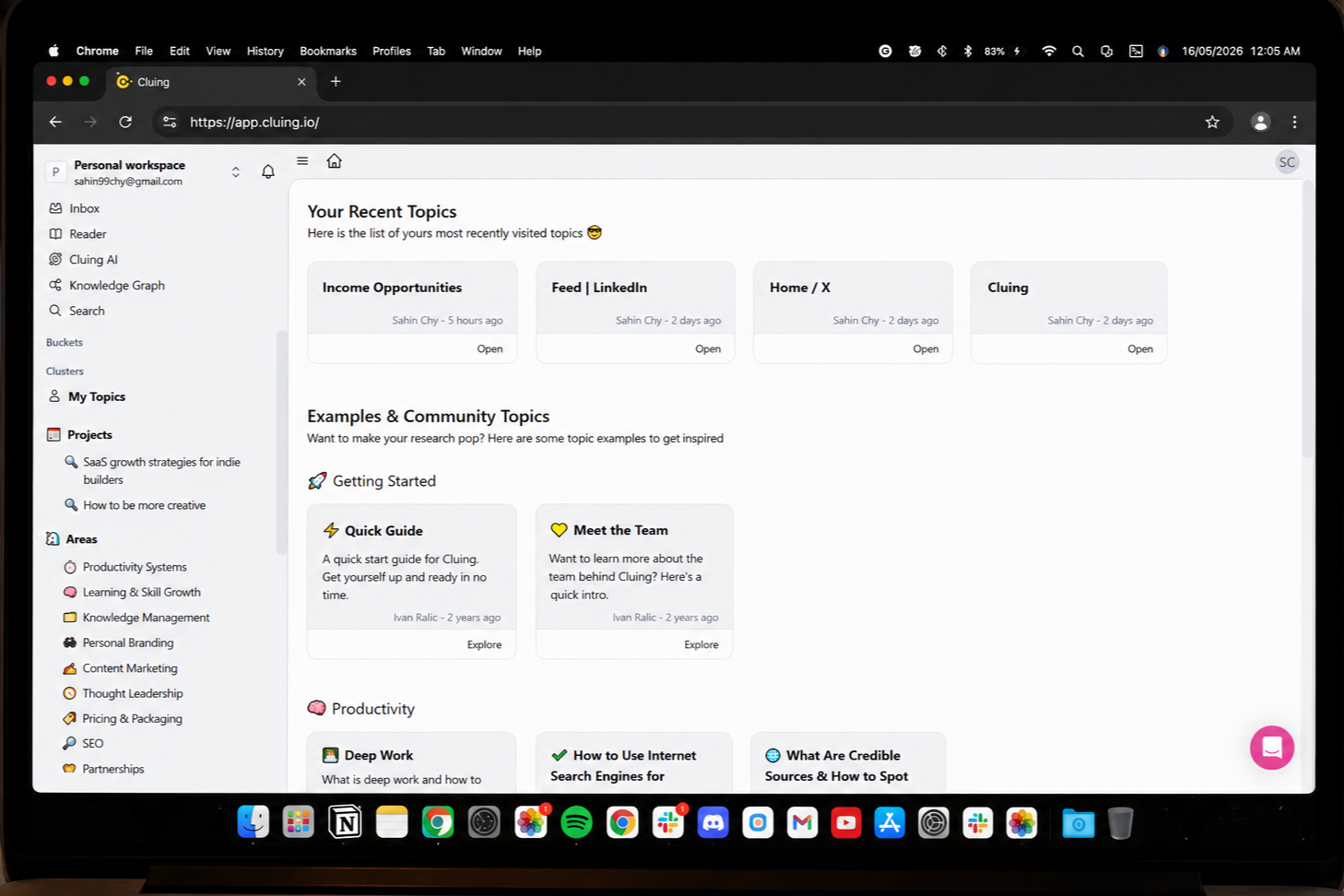
For this experiment, I created a topic called “Income Opportunities”. My rule for the week was simple: if something looks like a money idea, I highlight it and send it there. No overthinking. No formatting. Just capture.

Cluing dashboard with topics including Income Opportunities
Cluing turns your browsing into topics. For this test I focused on one: “Income Opportunities”.

Step 1: Turning X into an income idea inbox

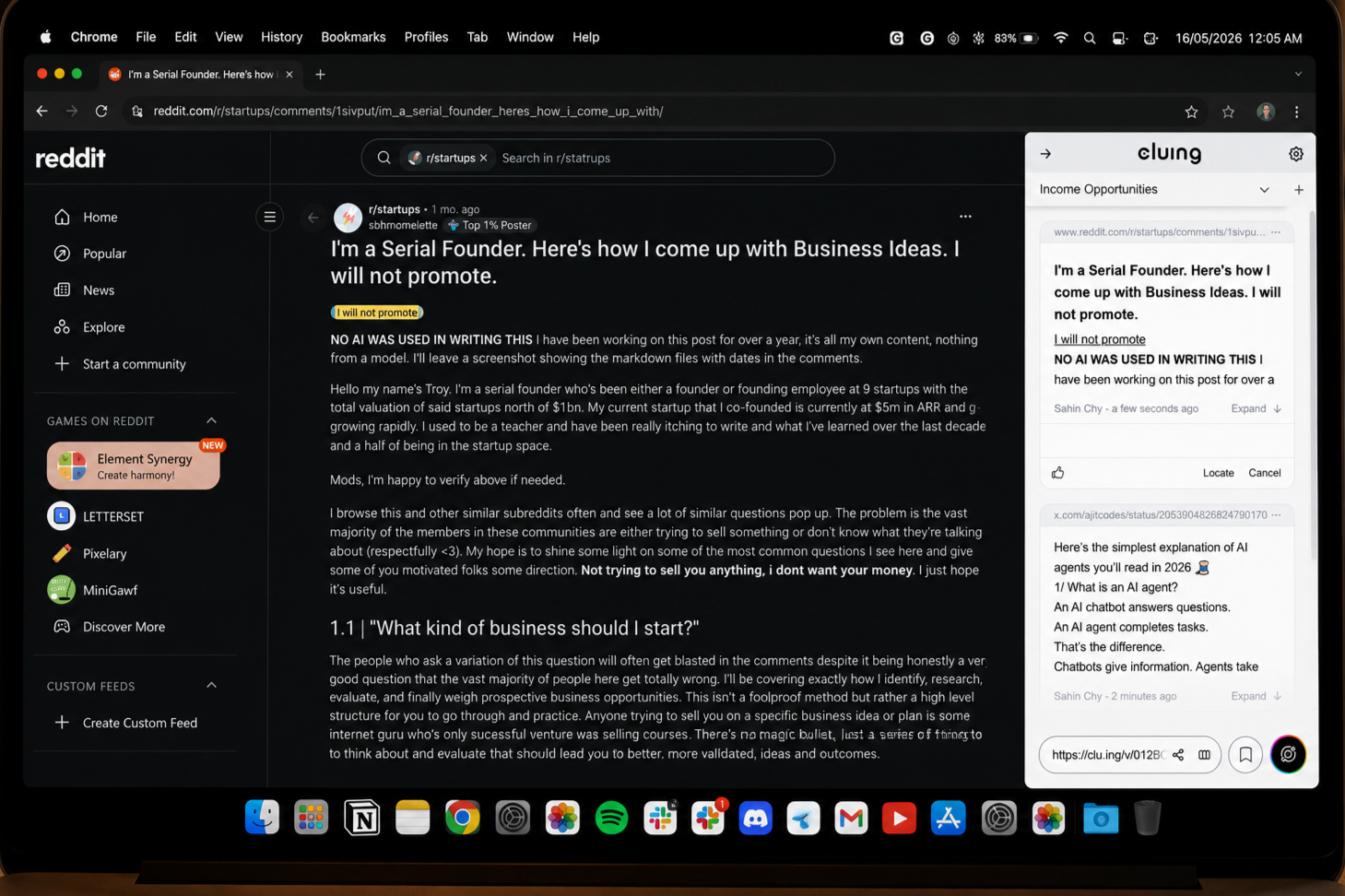
The first place I attacked was X. My “For you” feed is full of AI builders, SaaS founders and people sharing what is working for them. Instead of bookmarking full threads, I started saving only the lines that describe the opportunity.

Highlighting text on X and saving to Income Opportunities in Cluing
I highlight the line that matters and save it straight into “Income Opportunities” from the Cluing sidebar. Thanks to the Cluing extension.

Example: a thread explained how people are charging serious money for no‑code AI agents. I did not need the whole article in my system. I just grabbed the part that explains why buyers care, what results they get and roughly what they pay.

Capturing only the insight keeps my database lean. When I look back, I see “why this idea might make money”, not a random link I have to re‑read from scratch.

Step 2: Capturing from blogs, Reddit, Quora and LinkedIn

Then I moved to long form. Micro SaaS guides, SaaS idea lists, Quora answers on high paying side hustles, LinkedIn posts from founders. Same idea every time: highlight the useful part and send it into the same topic.

Highlighting blog content and saving to Income Opportunities in Cluing
Market stats, lists of niches, founder quotes. All captured as highlights inside the same topic.

This started to give me something I never had before: one place that holds the strongest sentences about income opportunities from everything I read, across every platform.

The result: a searchable income opportunity database

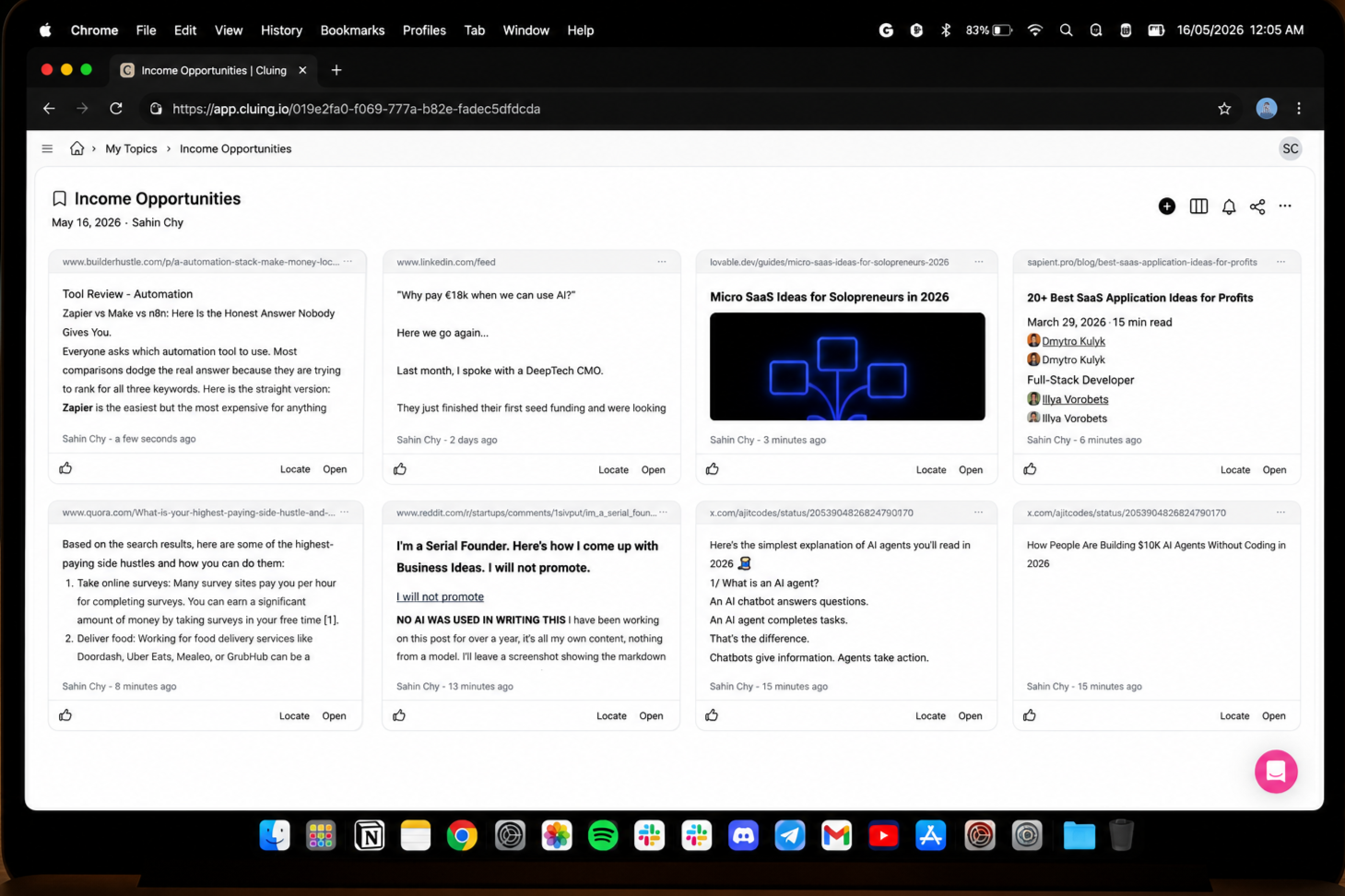
After a few sessions of saving, I opened Cluing and looked at the Income Opportunities topic. It was a grid of cards from X, Quora, LinkedIn, and blogs, each showing the insight I had highlighted.

Income Opportunities topic in Cluing with multiple saved snippets
My feed, but filtered for money ideas only. Every card is a snippet I thought was worth saving.

This already beats bookmarks:

→ Visual scan. I can scroll and instantly see what catches my eye today.
→ Search. If I want “micro SaaS” or “AI agents”, I just search those words inside this topic.
→ Personal. It reflects what I actually read and care about, not a generic trend dashboard.

Step 3: Letting AI show the patterns

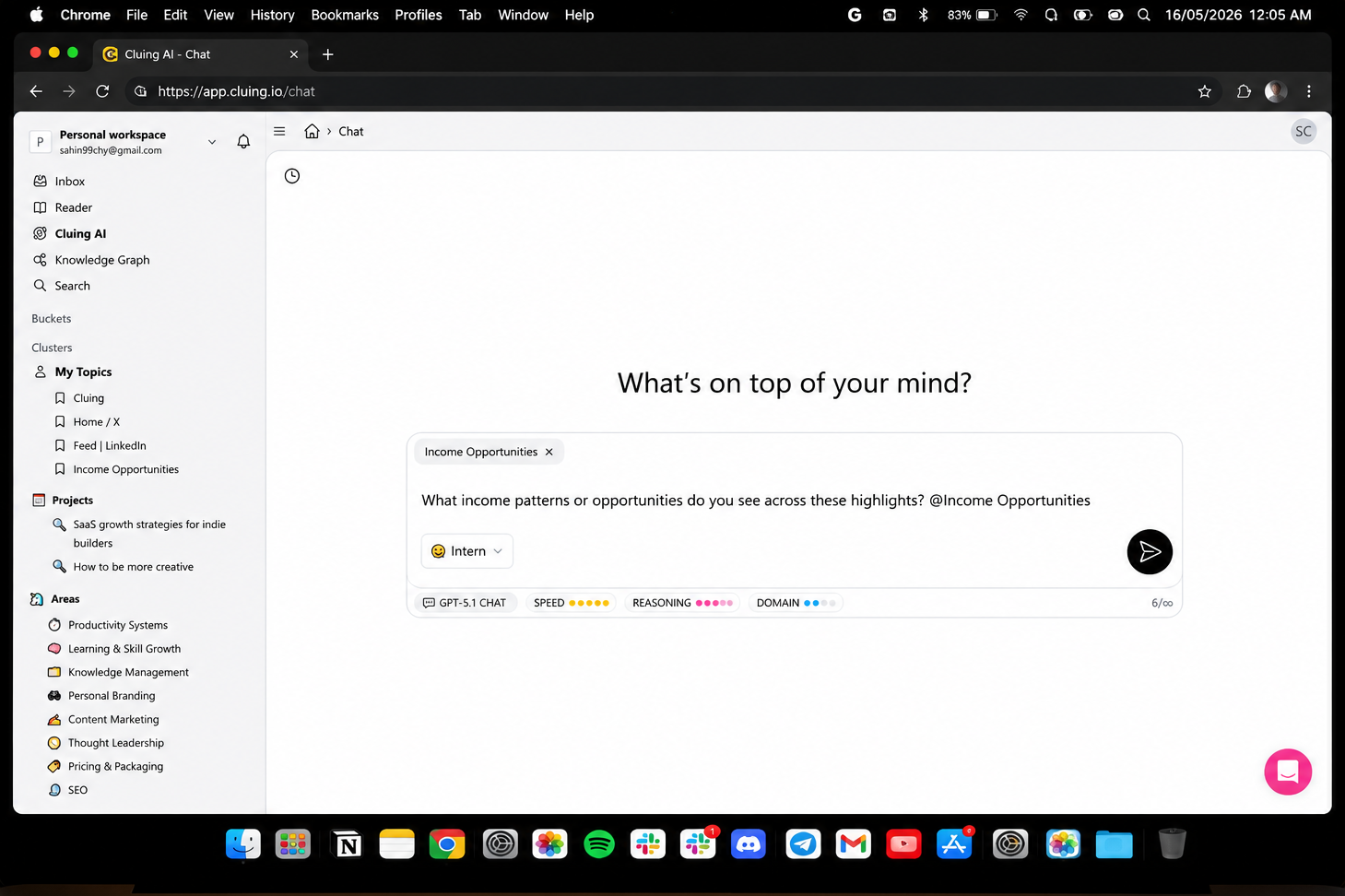
Storing ideas is nice, but the real upgrade is what happens when you ask Cluing’s AI to read everything you saved and tell you what actually stands out.

Prompt in Cluing AI asking for income patterns from Income Opportunities topic
I asked: “What income patterns or opportunities do you see across these highlights? @Income Opportunities”.

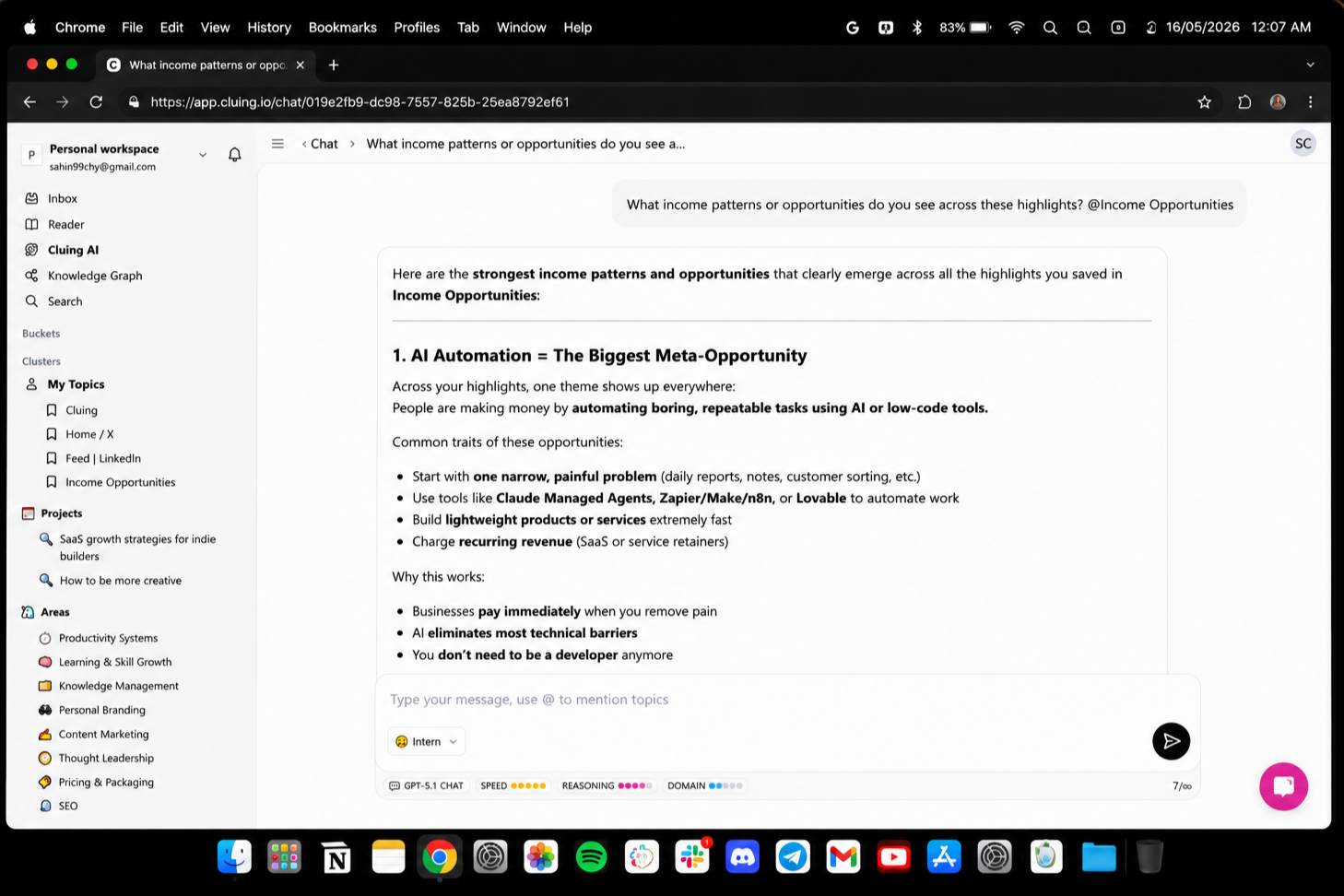
The model read through my snippets and came back with a clean summary of the strongest themes it saw:

AI summary of top income opportunity themes from saved highlights
Cluing’s AI summarised the clearest opportunity themes from my own research.

In plain language, it told me that my reading revolves around AI automation, micro SaaS, done for you services and niche tools. Instead of 15 random links, I now had a short list of directions that clearly showed up again and again.

Under the hood: my idea graph

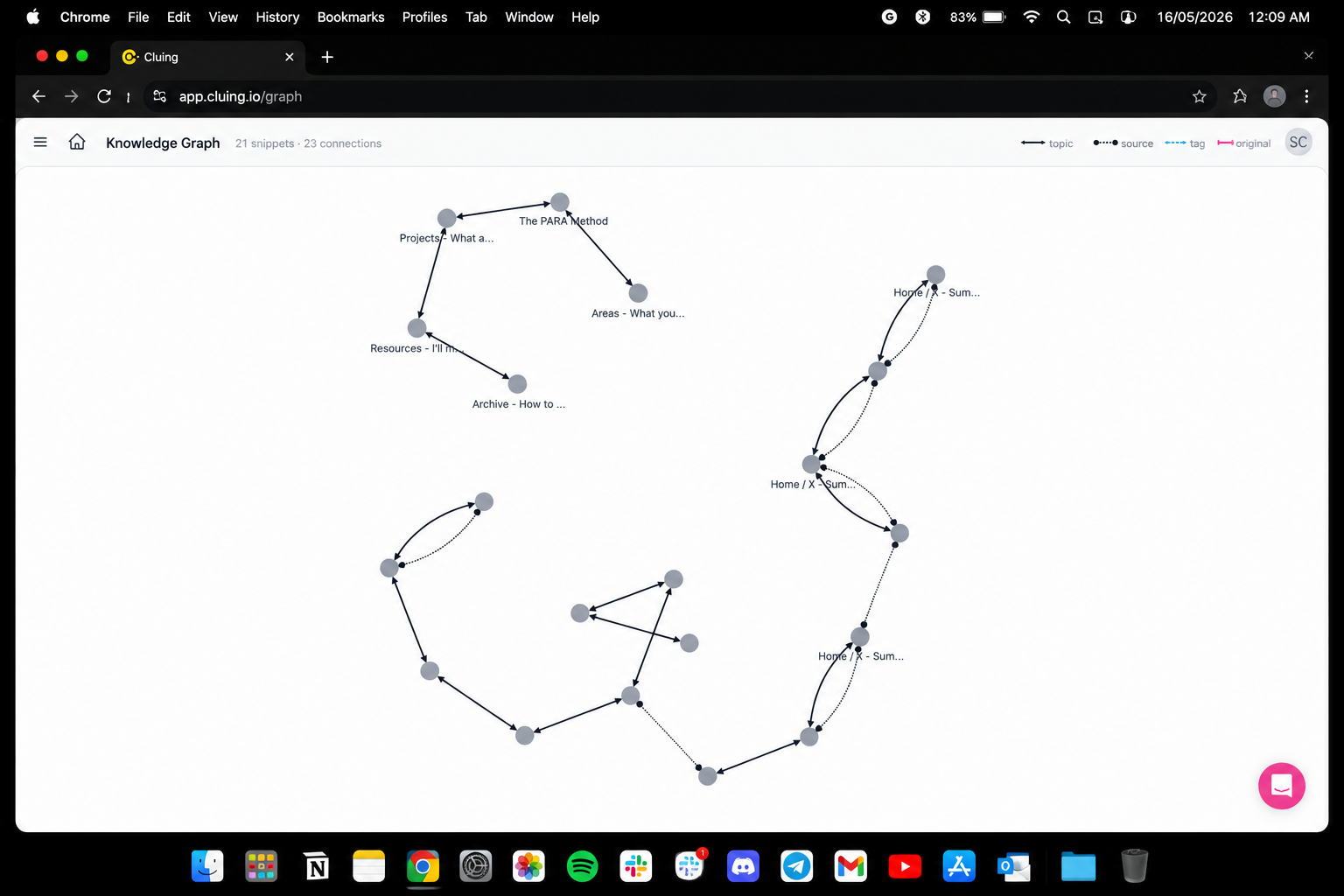
On top of the topic view, Cluing also builds a knowledge graph. It shows your snippets and topics as nodes and draws connections where they relate. As you save more, clusters start to appear.

Cluing knowledge graph view
A visual map of what I have been paying attention to: automation, SaaS, founder thinking and more.

I am not staring at this every day, but it is a nice way to see where my attention is going. It feels less like a link list and more like a growing map of my own interests and ideas.

How this actually changes my workflow

The biggest shift is mental. When I scroll now, I am not just “consuming content”. If something looks like an opportunity, it goes into the system. When I want to start a new project or offer, I do not open X. I open Income Opportunities.

→ Before: random inspiration from whatever the feed shows me today.
→ After: a growing database of ideas I have already filtered by “this looks promising”.
→ Plus an AI layer that tells me what keeps repeating across that database.

I'll be honest here, Cluing shines if you already read a lot and you are willing to capture the good stuff while you scroll. For someone like me, who lives on X and Reddit and thinks in terms of “what can I build from this”, it is a very natural fit.

I am going to keep using it specifically for tracking AI and automation income plays, collecting micro SaaS patterns, and keeping a backlog of “things I might ship next” so they do not vanish with my tabs.

I'm seriously impressed with Cluing. If you want to try the same setup, start a topic, save the next ten ideas you see, and then ask Cluing’s AI what patterns it finds.

SPECIAL FOR BUILDER HUSTLE READERS

Try the Cluing setup I now use for research

If you want to turn your ideas and research into something you can actually reuse, you can start with the same Cluing workspace I built for this deep dive.

Cluing logo
Start your Cluing workspace →

Use the code Builderhustle15 at signup to apply the discount.

🎥 From the Cluing team

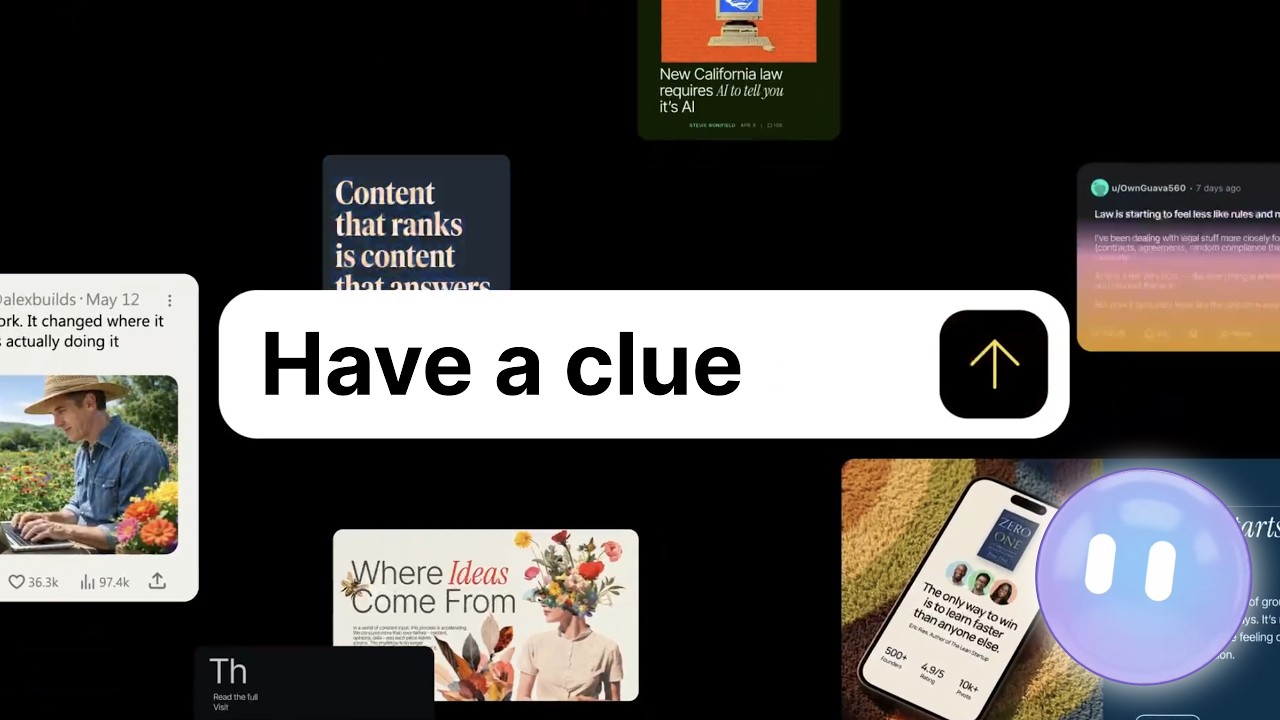
Cluing – A Place To Build Your Unique Context

This is a short video from Cluing that explains how they think about context and knowledge. If you want the high‑level story straight from the team, this is a good place to start.

Cluing – A Place To Build Your Unique Context
Watch the Cluing video →
 

Stay sharp,
Builder Hustle

Reply

Avatar

or to participate

Keep Reading